

Making Tax Digital (MTD) for Income Tax starts in April 2026.
If you are a sole trader or landlord earning over £50,000, you will be required to submit quarterly digital updates to HMRC instead of filing just one annual Self Assessment return.
For as low as only £19.99 per month
What Is Making Tax Digital (MTD)?
Making Tax Digital is HMRC’s programme to digitise the UK tax system.
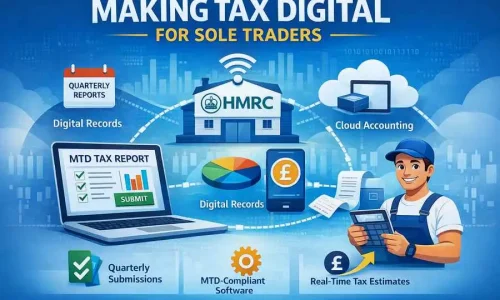
Under MTD for Income Tax Self Assessment (MTD for ITSA), affected individuals must:
• Keep digital accounting records
• Use HMRC-compatible software
• Submit quarterly income and expense updates
• Submit an End of Period Statement (EOPS)
• Submit a Final Declaration
The annual Self Assessment system is replaced by structured quarterly digital reporting.
The goal is improved accuracy and reduced tax gaps. In practice, it means disciplined bookkeeping throughout the year.
When Does MTD Start?
MTD for VAT
Already mandatory for VAT-registered businesses.
MTD for Income Tax (ITSA)
• April 2026 – Income over £50,000
• April 2027 – Income over £30,000
Income is based on gross turnover before expenses from:
• Self-employment
• UK property income
• Combined business and property income
If your total gross income exceeds the threshold, MTD applies.
Making Tax Digital (MTD) for Income Tax starts in April 2026.
If you are a sole trader or landlord earning over £50,000, you will be required to submit quarterly digital updates to HMRC instead of filing just one annual Self Assessment return.
From April 2027, the threshold reduces to £30,000.
This guide explains:
• Who is affected
• What changes in 2026
• Quarterly reporting rules
• Software requirements
• Deadlines
• Penalties
• How to prepare now
AccTek helps landlords and self-employed professionals transition smoothly to MTD-compliant systems.
Book an MTD consultation today.
Who Is Affected by Making Tax Digital 2026?
MTD for Income Tax applies to:
• Sole traders
• Freelancers
• Consultants
• CIS contractors
• Buy-to-let landlords
• Individuals with multiple businesses
• Individuals with both rental and trading income
If you currently submit a Self Assessment tax return and your gross business or rental income exceeds £30,000, you should prepare now.
How do we help
Everything You Need — Nothing You Don’t

How AccTek Helps with MTD Compliance
Our approach:
Assessment – We confirm whether and when MTD applies to you.
Implementation – We set up compliant cloud accounting software.
Quarterly Management – We manage bookkeeping and file updates on your behalf.
Year-End Finalisation – We prepare EOPS and Final Declaration accurately.
Our objective is clarity, compliance, and efficiency.
Common MTD Mistakes to Avoid
1. Assuming your accountant automatically registers you
2. Ignoring separate property and trade reporting
3.Waiting until April 2026 to implement software
4. Underestimating workload increase
MTD is manageable — but not if preparation is delayed.
MTD Changes Self Assessment
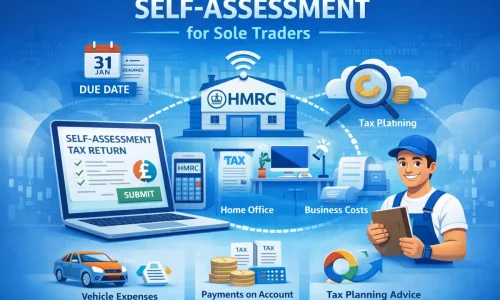
Under the current system, you file one annual return by 31 January.
Under MTD::
1. Quarterly Updates - submit income and expense summaries every three months
2. End of Period Statement (EOPS) - After the tax year ends, adjustments such as capital allowances, accounting corrections, relief claims
3. Final Declaration - This replaces the traditional Self Assessment return.
Tax payment deadlines remain 31 January and 31 July.
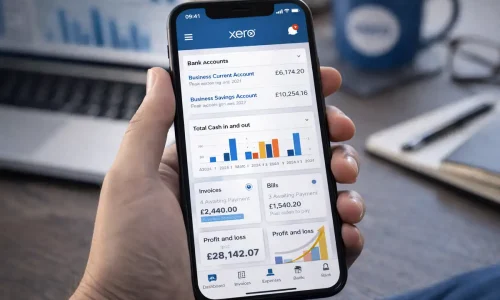
How to Prepare for Making Tax Digital 2026
We help:
1. Confirm whether you exceed the income threshold
2. Move to compliant cloud accounting software
3. Clean and structure your chart of accounts
4. Establish quarterly bookkeeping routines
5. Register for MTD before April 2026
MTD Software Requirements
Under MTD, spreadsheets alone are not sufficient unless digitally linked via bridging software.
You must use software that:
1. Maintains digital records
2. Submits updates directly to HMRC
3. Preserves digital links
AccTek manages full software setup and migration to ensure digital compliance from day one.
Helpful MTD resources
Looking for MTD advice and guidance before paying for our service? We’ve got you covered.

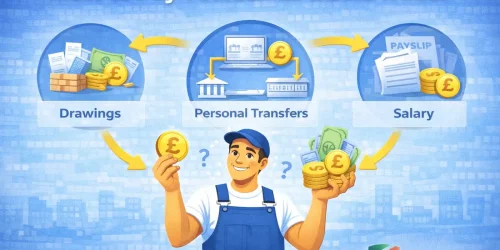
How to pay yourself as a Sole Trader and how much to put aside for tax
As a sole trader, you’re not directly employed and you don’t receive a salary or wage in the traditional sense. So how do you pay yourself as a sole trader and then pay any tax due?

Understanding the legal requirements of being a sole trader
Setting up as a Sole Trader is a popular way to start a business, especially for those entering the business world for the first time. However, as with everything in business, becoming a sole trader comes with several risks you should be aware of.
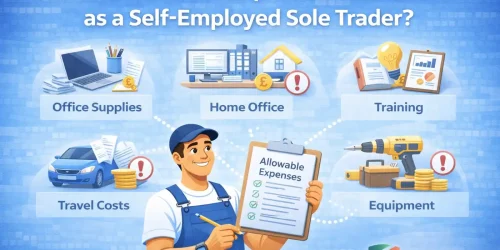
What business expenses can I claim as a self employed Sole Trader?
As you juggle all the new responsibilities, you’ll also deal with lots of new costs. The good news is that many of these costs can be claimed as business expenses, meaning you’ll pay less tax and get to keep more of your hard-earned money.
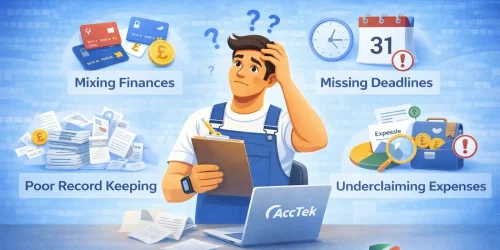
Common Mistakes Sole Traders Make
We regularly see missing allowable expenses (mileage, home office, use of phone), forgetting about payments on account, mixing personal and business finances. Avoiding these mistakes can save thousands over time.
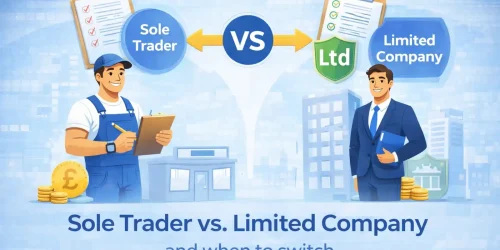
Sole Trader vs Limited Company – When Should You Switch?
A common question. There is no single income level where incorporation is automatically better. We provide clear modelling so you can see the difference in tax outcomes before making the decision.

Questions
Frequently Asked Questions
Who needs to comply with Making Tax Digital from April 2026?
From April 2026, Making Tax Digital (MTD) for Income Tax applies to sole traders and landlords with gross income over £50,000 from self-employment and/or UK property.
From April 2027, the threshold reduces to £30,000.
Gross income means turnover before expenses. If your combined business and rental income exceeds the threshold, MTD applies.
Do I still need to file a Self Assessment tax return under MTD?
The traditional annual Self Assessment return is replaced by:
• Quarterly updates
• An End of Period Statement (EOPS)
• A Final Declaration
The Final Declaration serves a similar purpose to the current tax return, combining all income sources and confirming your final tax position.
Do I have to pay tax every quarter under Making Tax Digital?
No.
Quarterly submissions are reporting requirements, not payment deadlines.
Tax payment dates currently remain:
• 31 January (balancing payment and first payment on account)
• 31 July (second payment on account)
Quarterly updates simply give HMRC visibility of your income during the year.
Can I use spreadsheets for MTD?
You can only use spreadsheets if they are digitally linked to HMRC-compatible bridging software.
Manual copying and pasting between systems is not allowed under MTD digital link rules.
Most businesses and landlords find cloud accounting software such as Xero to be the most practical long-term solution.
What happens if I miss an MTD quarterly deadline?
HMRC operates a points-based penalty system.
Each missed submission adds a penalty point. Once a threshold is reached, a financial penalty is triggered.
Points expire after a period of compliance. Consistent quarterly bookkeeping prevents penalties from accumulating.
What if my quarterly figures are wrong?
Quarterly submissions are cumulative summaries based on digital records.
If adjustments are required, they are corrected through:
• The End of Period Statement
• The Final Declaration
The final tax liability is calculated after all year-end adjustments are made. Minor differences during the year can be resolved at finalisation stage.
Got more questions or simply want to talk?
Call us, WhatsApp us or use the instant quote
You are in safe hands
When you trust us with your accounts, you can have complete confidence that we know what we’re doing. Our accountants have a wide range of qualifications and accreditations from trusted professional bodies such as the AAT and ICAEW.